CapCut Review
KI-VideogenerierungFree AI video editing app from TikTok. Packed with auto captions, effects, and templates.
Fazit der Redaktion
CapCut erhält eine Bewertung von 4.3/5 und zählt damit zu den leistungsfähigeren Optionen im Bereich ki-videogenerierung. Die herausragende Stärke — core features are completely free — macht das Tool besonders wertvoll, wenn genau diese Fähigkeit für Ihren Workflow entscheidend ist. Der wichtigste Kompromiss ist limited advanced editing for professionals, was Sie vor einer Entscheidung gegen die Alternativen abwägen sollten. Da Sie mit dem kostenlosen Plan ohne Risiko prüfen können, ob das Tool passt, spricht kaum etwas gegen einen ersten Testlauf.
Inhaltsverzeichnis
Was ist CapCut?
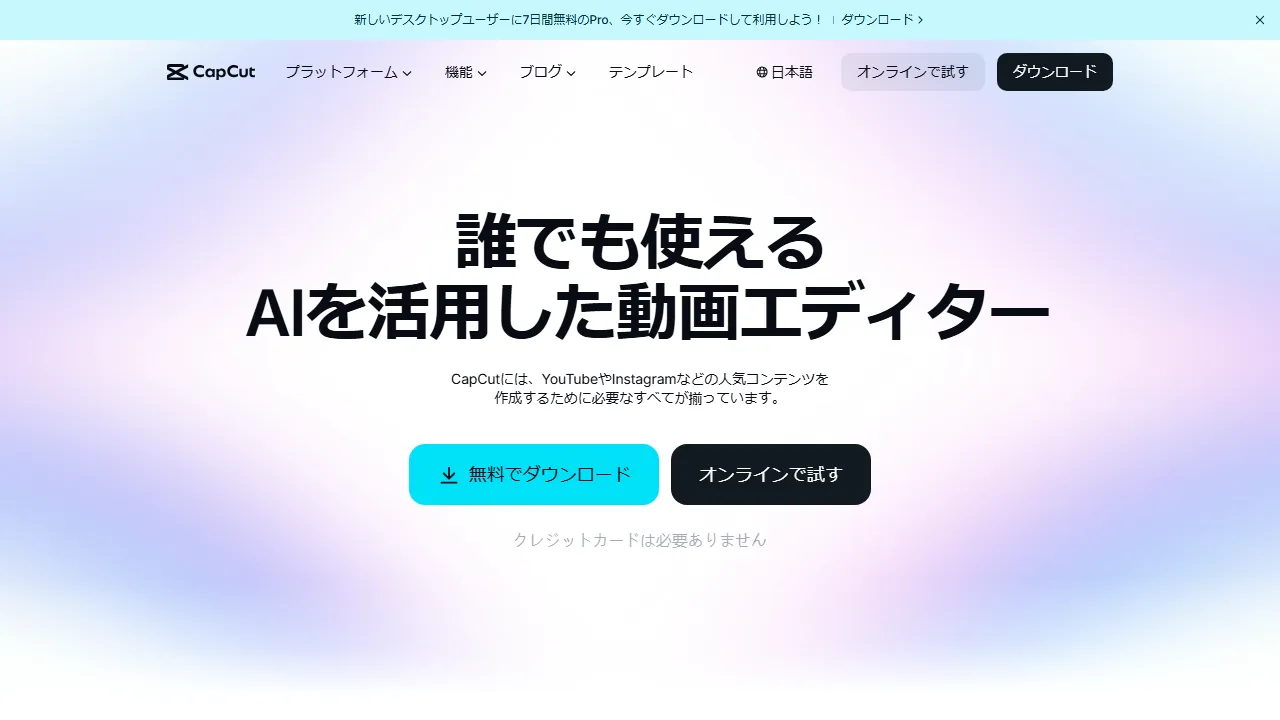
CapCut is a free video editing app provided by ByteDance (TikTok's parent company). It features AI-powered auto subtitles, background removal, style transfer, and text-to-speech, streamlining video creation for social media. With a rich library of effects, transitions, and music available for free, it is widely used by beginners and professionals alike.
Für wen ist CapCut geeignet?
CapCut eignet sich am besten für Videoproduzenten, Marketer und Social-Media-Manager, die ansprechende Videoinhalte in großem Umfang produzieren müssen. Der kostenlose Plan senkt die Einstiegshürde und erleichtert eine Evaluierung, bevor Sie sich festlegen. Die breite Funktionspalette (6+) — darunter AI subtitle generation und Background removal — bedeutet, dass Sie für verwandte Aufgaben selten zu einem anderen Tool wechseln müssen. Nutzerinnen und Nutzer heben häufig eine besondere Stärke hervor: core features are completely free.
Preispläne & Preis-Leistungs-Verhältnis
CapCut bietet folgende Pläne an. Die Preise entsprechen den zuletzt verfügbaren Informationen zum Zeitpunkt des Reviews und können sich ändern. Prüfen Sie vor dem Kauf stets die offizielle Seite.
Hauptfunktionen & Möglichkeiten
Das bietet CapCut — grob sortiert danach, wie zentral jede Funktion für das Produkt-Erlebnis ist.
Vor- und Nachteile
Nach der Bewertung von CapCut im Vergleich zum Rest des Felds im Bereich ki-videogenerierung sind dies die Kompromisse, die uns im Alltagseinsatz aufgefallen sind.
Was uns gefallen hat
- ●Core features are completely free
- ●Extensive effects and templates
- ●Intuitive interface
Was besser sein könnte
- ●Limited advanced editing for professionals
- ●Concerns about ByteDance's data policy
- ●Desktop version can be unstable
So starten Sie mit CapCut
Ein praxisorientierter Fünf-Schritte-Weg, den wir allen empfehlen, die CapCut zum ersten Mal testen — ausgelegt darauf, Zeitverschwendung zu vermeiden und eine schnelle Entscheidung zu ermöglichen.
1Bei CapCut registrieren
Rufen Sie die offizielle CapCut-Website auf und erstellen Sie ein Konto. Sie können mit dem kostenlosen Plan starten, ohne Zahlungsdaten einzugeben — ideal, um zu prüfen, wie gut das Tool in Ihren Workflow passt.
2Arbeitsumgebung einrichten
Installieren Sie die App auf web, falls ein nativer Client verfügbar ist, oder öffnen Sie das Tool einfach im Browser. Konfigurieren Sie grundlegende Einstellungen wie Sprache, Benachrichtigungen und Standard-Ausgabestil, damit die folgenden Durchläufe konsistent bleiben.
3Erste Aufgabe mit AI subtitle generation ausführen
Beginnen Sie mit einer kleinen, risikoarmen Aufgabe, um zu verstehen, wie CapCut reagiert. Formulieren Sie einen klaren Prompt oder eine klare Eingabe, prüfen Sie die Ausgabe und iterieren Sie. Diese risikoarme Erkundung ist der schnellste Weg, ein Gefühl dafür zu entwickeln, worin das Tool besonders gut ist.
4In den täglichen Workflow integrieren
Sobald Sie die Stärken kennen, integrieren Sie CapCut in einen konkreten Workflow — nicht in zehn. Ersetzen Sie einen bestehenden Schritt und messen Sie eine Woche lang die gesparte Zeit oder die Qualitätsverbesserung, bevor Sie die Nutzung ausweiten.
5Auf Basis echter Nutzung upgraden
Upgraden Sie nicht vorschnell, sondern beobachten Sie, welche Limits Sie tatsächlich erreichen (Nachrichtenkontingent, Ausgabelänge, Exportfunktionen). Upgraden Sie nur dann, wenn ein konkretes Limit Ihre Produktivität blockiert — nicht weil der höhere Plan auf dem Papier attraktiver aussieht.
Die besten Alternativen zu CapCut
Sie sind unsicher, ob CapCut die richtige Wahl ist? Diese vergleichbaren Tools aus dem Bereich ki-videogenerierung lohnen eine Betrachtung — je nach Ihren Prioritäten.
Runway ML
An AI video generation and editing platform for creators. Generates high-quality video from text and images, transforming the filmmaking workflow.
Bietet eine vergleichbare Redaktionsbewertung bei einem höheren Preis. Am besten geeignet, wenn Sie high-quality video generation with gen-3 alpha bevorzugen.
HeyGen
Easily create AI avatar videos. A video production tool for marketing and education.
Bietet eine vergleichbare Redaktionsbewertung bei einem höheren Preis. Am besten geeignet, wenn Sie realistic ai avatars bevorzugen.
Descript
An AI tool that lets you edit video and podcasts as easily as editing text.
Bietet eine vergleichbare Redaktionsbewertung bei einem höheren Preis. Am besten geeignet, wenn Sie edit video like editing text bevorzugen.
Häufig gestellte Fragen
Is CapCut really free?+
Yes, basic editing features, effects, and templates are free. Some features like 4K export are available through the Pro plan.
Can I use it for commercial purposes?+
Yes, videos created with CapCut can be used commercially. However, you should check the licensing terms for music and other assets.
Bereit, CapCut auszuprobieren?
Starten Sie mit dem kostenlosen Plan — keine Kreditkarte erforderlich.
Mit CapCut starten →Weitere KI-Videogenerierung
Sora
OpenAIs KI-Videogenerierungstool. Erstellt realistische, hochwertige Videos aus Textbeschreibungen.
Runway ML
An AI video generation and editing platform for creators. Generates high-quality video from text and images, transforming the filmmaking workflow.
Synthesia
An AI avatar video generation platform. Simply input text and a realistic AI avatar automatically narrates and generates a video.
Pika
Generate AI videos from text or images. An easy-to-use tool for creating short-form videos.
Kling AI
A high-quality AI video generation tool developed by China's Kuaishou. Supports long-form, high-resolution video.
HeyGen
Easily create AI avatar videos. A video production tool for marketing and education.
Geprüft von: AIpedia-Redaktion · Zuletzt aktualisiert: 10. Juli 2026 · Methodik: Wie wir testen und bewerten
Dieses Review spiegelt unsere redaktionelle Meinung wider, basierend auf praktischen Tests, einer Preisüberprüfung und einem Abgleich mit der offiziellen Dokumentation. Wir akzeptieren keine Zahlungen für wohlwollende Reviews. Lesen Sie unsere vollständigen Redaktionsrichtlinien.